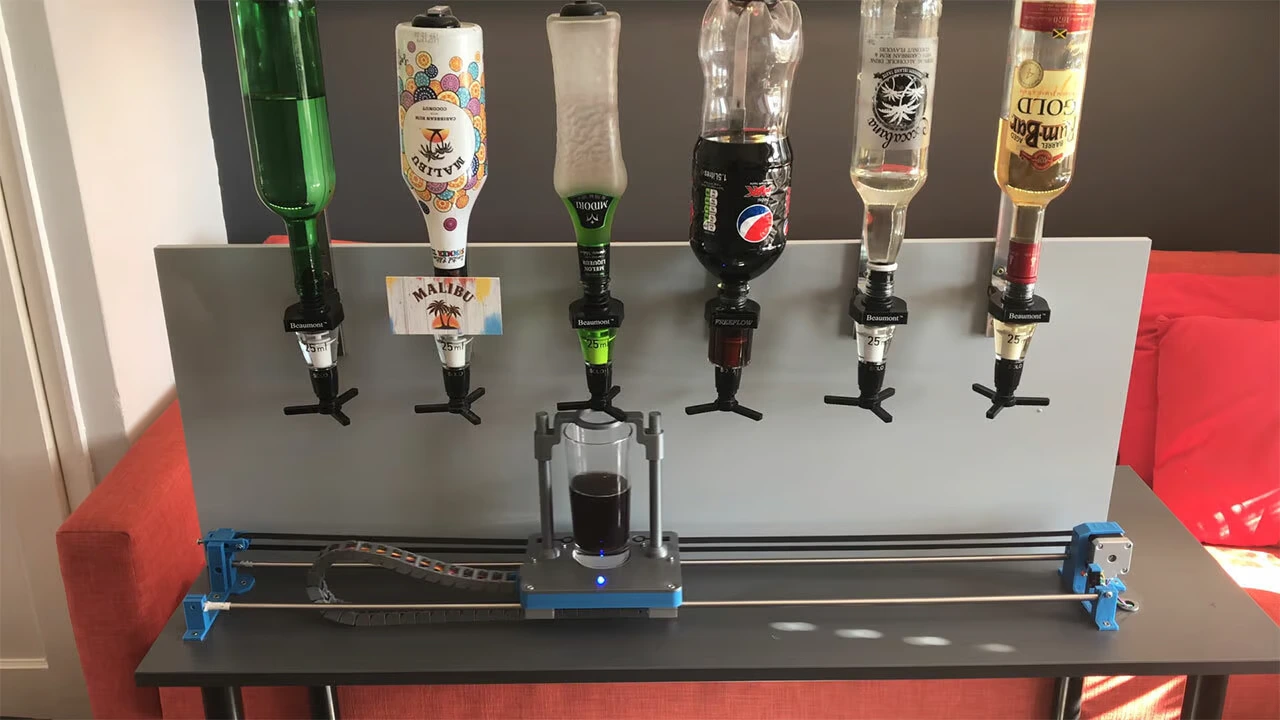
This page answers the most common questions about Arduino. If you have a question that is not listed here, you can leave it in the comments and we will answer it as soon as possible.
Table of contents
This page answers the most common questions about Arduino. If you have a question that is not listed here, you can leave it in the comments and we will answer it as soon as possible.
1-What is Arduino?
Arduino is an electronic prototyping platform built around open-source hardware and software.
It consists of an electronic board with a microcontroller and an integrated development environment (IDE) that lets you program the board to control different devices and sensors.
Arduino has become a very popular tool among designers, artists, students, engineers and hobbyists around the world because it offers an easy and accessible way to build projects. The Arduino platform is flexible and can be programmed to control a wide range of devices, from motors and lights to all kinds of sensors.
The Arduino community is also very active, and there is a huge number of projects, tutorials and online resources that can help you develop your own ideas.
2-What can you do with Arduino?
Arduino can be used to create a wide range of electronic projects, from simple tasks such as blinking an LED to complex systems such as robots and smart devices. Some of the most common Arduino applications include:
- Controlling lights and devices: Arduino can be used to control lights, motors, fans, home appliances and other electronic devices.
- Sensor monitoring: Arduino can read temperature, humidity, light, motion, pressure, sound and other sensors, then use that data to activate other devices or send information to an application.
- Home automation: Arduino can be used to create home automation systems that control lighting, temperature, security and other aspects of a house.
- Robotics: Arduino is a popular tool for building robots and motion-control systems.
- Artistic and interactive projects: Arduino can be used to create artistic and interactive projects such as light installations, sculptures and interactive experiences.
In short, Arduino is a very versatile platform that lets you build a wide range of electronic projects, from simple beginner projects to advanced systems for professio
nals. The only limit is the user's imagination.
Need help with a project?



- Prototyping and MVPs
- Arduino and ESP32
- PCB design
- 3D part design
- Bluetooth connectivity
- Feasibility study
- Cost optimization
- Technical consulting
- Internet of Things
- Patent management
3-How do you power Arduino?
Powering Arduino properly is essential for stable operation. Here are a few practical tips:
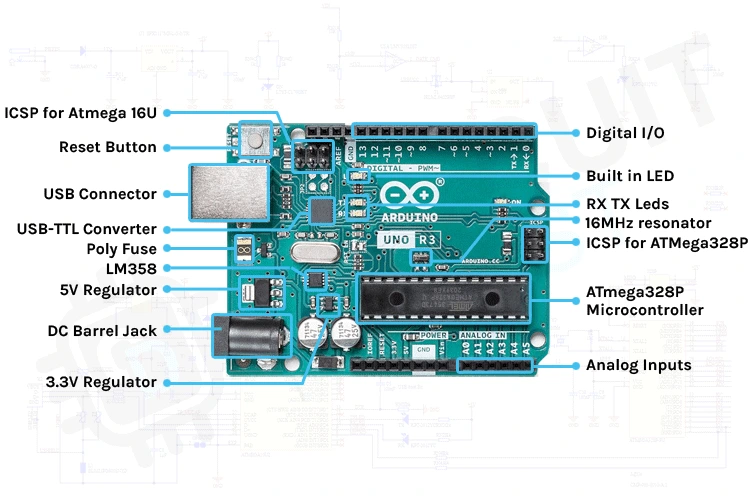
- Check the input voltage: before powering your Arduino board, make sure the power source provides the right voltage. Most Arduino boards can operate from a 5V or 3.3V supply.
- Use a quality power supply: this helps prevent fluctuations in the input voltage.
- Use a voltage regulator: if you are powering your Arduino board from a battery or an unregulated source, it is important to use a voltage regulator to keep the input within a safe range. Regulators also help reduce noise and supply fluctuations.
- Make sure the polarity is correct: check the polarity of the power source before connecting it to the board.
4-How do you download Arduino?
To download Arduino, follow these steps:
- Go to the official Arduino website: https://www.arduino.cc/
- On the home page, click the “Software” tab at the top of the page.
- Click the “Download the Arduino IDE” button.
- Select your operating system on the page (Windows, Mac or Linux) and click the download button.
- After downloading the file, open the installer and follow the instructions to install the software.
Once the Arduino software is installed, you can open the IDE and start writing and uploading programs to your Arduino board.
5-Where can you buy Arduino?
There are several ways to buy Arduino boards:
- Official Arduino store: this is the most reliable place to buy original Arduino boards. Visit https://store.arduino.cc/ to see the different board options available.
- Authorized Arduino distributors: there are many authorized distributors around the world that sell original Arduino boards.
- Online marketplaces: many sites such as Amazon, eBay and AliExpress sell Arduino boards. Even so, make sure you buy from a reliable seller and confirm that the board is original.
- Electronics stores: local electronics shops may sell Arduino boards. Look for electronics stores in your area and ask whether they have the board model you need.
Before buying, make sure the board is compatible with your project and has the features you need. Also check whether any special offers, promotions or discounts are available.
6-How does Arduino work?
An Arduino board includes several components such as a microcontroller, a voltage regulator, input and output ports, memory and more. These parts are connected through printed circuits and can be powered from an external supply.
To program an Arduino board, you use an integrated development environment (IDE) that provides a graphical interface for writing and uploading code to the board. The programs are written in a language based on C/C++, with some Arduino-specific functions added.
Once a program is uploaded to the Arduino board, it runs autonomously and controls the input and output ports according to the code. For example, an Arduino board can turn an LED on or off, control a motor, read sensor data, send information over a network and perform many other tasks.
7-What is Arduino used for?
Arduino is used to build projects in electronics, automation, robotics, home automation, the Internet of Things and many other technical fields. It is a flexible, open-source platform that lets users create and program custom projects for home, industrial or educational use.
8-How many digital pins does the Arduino Uno have?
The Arduino Uno has 14 digital input/output pins (GPIO), numbered from 0 to 13. All of them can be configured as digital inputs or outputs. In addition, 6 of those 14 digital pins can also be used as PWM (Pulse Width Modulation) outputs to control signal intensity.
9-Which Arduino kit should you buy?
Choosing an Arduino kit depends on your specific needs and your current level of electronics and programming knowledge:
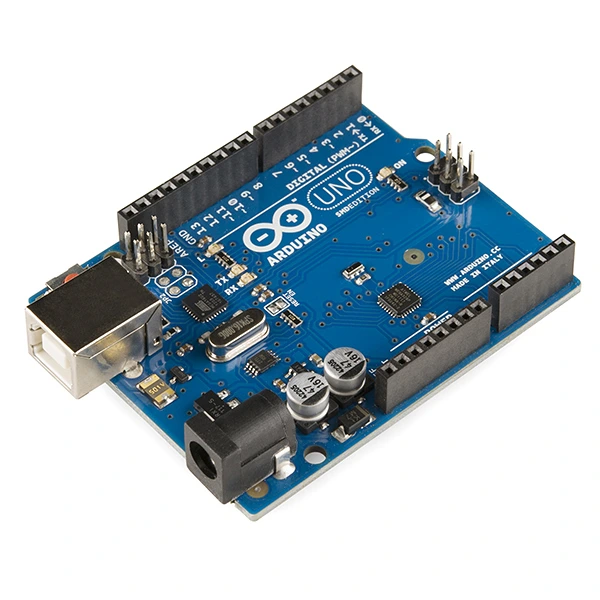
- Basic starter kit: this is a good starting point for beginners who want to learn the fundamentals of electronics and programming. It usually includes an Arduino Uno board and basic parts such as LEDs, resistors, a potentiometer and a temperature sensor.
- Advanced kit: if you already have basic knowledge of electronics and programming, an advanced kit may be the right option. These kits often include a more capable Arduino board such as the Arduino Mega, plus more complex parts such as sensors, motors, servos and communication modules.
- Robotics kit: if you are interested in robotics, you can consider an Arduino robotics kit that includes an Arduino board, motors, sensors, wheels and other parts needed to build a basic robot.
- Internet of Things (IoT) kit: if you want to create IoT projects, you can consider a kit that includes an Arduino board with Wi-Fi or Bluetooth support, along with sensors and other parts needed to send and receive data over a network.
In short, the right Arduino kit depends on your specific needs and what you want to achieve with your project. If you are a beginner, a basic starter kit can be a good option, while users with previous electronics and programming experience may benefit more from an advanced kit.
10-What programming language does Arduino use?
Arduino uses a programming language based on C/C++, often referred to as the Arduino programming language or Wiring language. It is designed to be easy to learn and use, even for people without previous programming experience.
11-Which Arduino should you choose?
Choosing the right Arduino model depends on your specific needs and the requirements of your project. Here are some of the main factors to consider when selecting an Arduino board:
- Number of pins: Arduino boards vary in the number of availa
- ble input/output pins (GPIO). If your project requires many GPIO pins, choose a board that gives you enough digital and analog I/O.
- Processing power: if your project needs more computing capability, you can consider a more powerful board such as the Arduino Mega or Arduino Due.
- Size: if your project has tight space constraints, you can consider a smaller board such as the Arduino Nano or Arduino Pro Mini.
- Connectivity: if your project requires wireless connectivity, you can consider an Arduino board with built-in Wi-Fi or Bluetooth such as the Arduino Uno Wi-Fi or Arduino Nano 33 BLE.
- Cost: price can also be an important factor. Arduino boards vary in cost, from more affordable options such as the Arduino Uno to higher-end boards such as the Arduino Due.
12-How can you learn Arduino?
Learning Arduino takes time, patience and practice. Here are some tips that can help you progress faster:
- Get familiar with the basics: before you start programming with Arduino, it helps to understand the fundamentals of electronics and programming. You can begin with resistors, LEDs, sensors, motors and other common electronic components.
- Get an Arduino board: the next step is to get an Arduino board. You can buy one online or from a local electronics shop.
- Download the Arduino software: the Arduino integrated development environment (IDE) is free and can be downloaded from the official Arduino website. Install it on your computer and get used to the interface.
- Try a few examples: the Arduino software includes many built-in code examples that you can test to become familiar with Arduino programming.
- Join the Arduino community: the Arduino community is very active, and many people are willing to help. Take part in forums, Facebook groups and other communities to ask questions and get support.
- Build your own projects: once you feel comfortable with the basics and with Arduino programming, start working on your own projects. Begin with simple builds and gradually move on to more complex ones.
13-What is 'Serial.begin' in Arduino?
It is a function in the Arduino programming language that is used to initialize serial communication between the Arduino board and an external device such as a computer.
This function sets the data transmission speed (baud rate) for that communication.
That is all for now. If you have any other questions, you can leave them in the comments and we will add them to this page.